You type your name into a website, but instead of normal text you leave a small piece of code in that box.
The site doesn’t notice. It prints it to the page as is. Then whoever opens that page, the code you left runs in their browser.
That’s XSS, in short and in its simplest form.
It stands for Cross-Site Scripting.
Put simply, it’s a flaw that comes from a site printing user input to the screen without checking it.
The attacker slips their own JavaScript in, and that code runs in someone else’s browser.
Why is it dangerous? Because that code can do pretty much anything. The classic scenario is stealing the user’s session, in other words their cookie. A cookie is a small piece of data that tells the site “this person is already logged in.” If it gets stolen, the attacker can get into your account.
There are three main types.
The first is reflected XSS.
The malicious code is sent through a link and reflected back on the page. It isn’t persistent; the user has to click the link.
The second is stored XSS.
Here the code gets saved in the site’s database, in a comment field for example. It runs for everyone who opens the page. The user doesn’t click anything; opening the page is enough. That’s why stored is usually considered more dangerous.
The third is DOM-based.
This one is a bit different because the code never reaches the server. The page updates itself with JavaScript that’s already running in your browser, for example by taking a value from the address bar and printing it to the page. When the attacker fills that value with malicious code, everything still happens in the browser and the server doesn’t even know about it. In reflected and stored, the code comes back from the server; in DOM-based, it stays in the browser from start to finish.
We’ll see reflected and stored live, because showing the two side by side is the clearest way to explain the difference between the types.
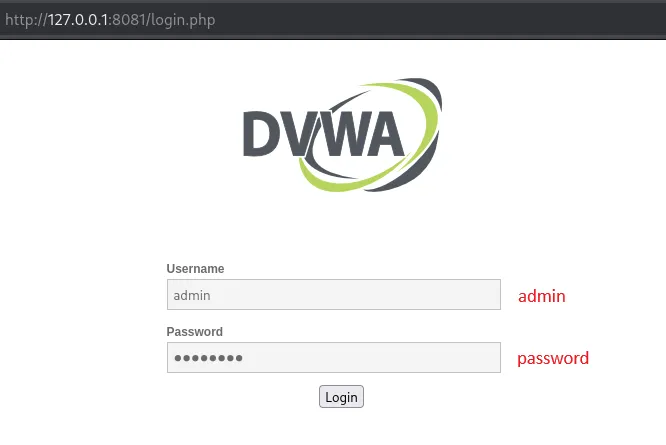
There’s an app called DVWA. Damn Vulnerable Web Application is a training app that’s left vulnerable on purpose. It runs on your own computer, so you’re not touching a real site. We log in as the admin user.
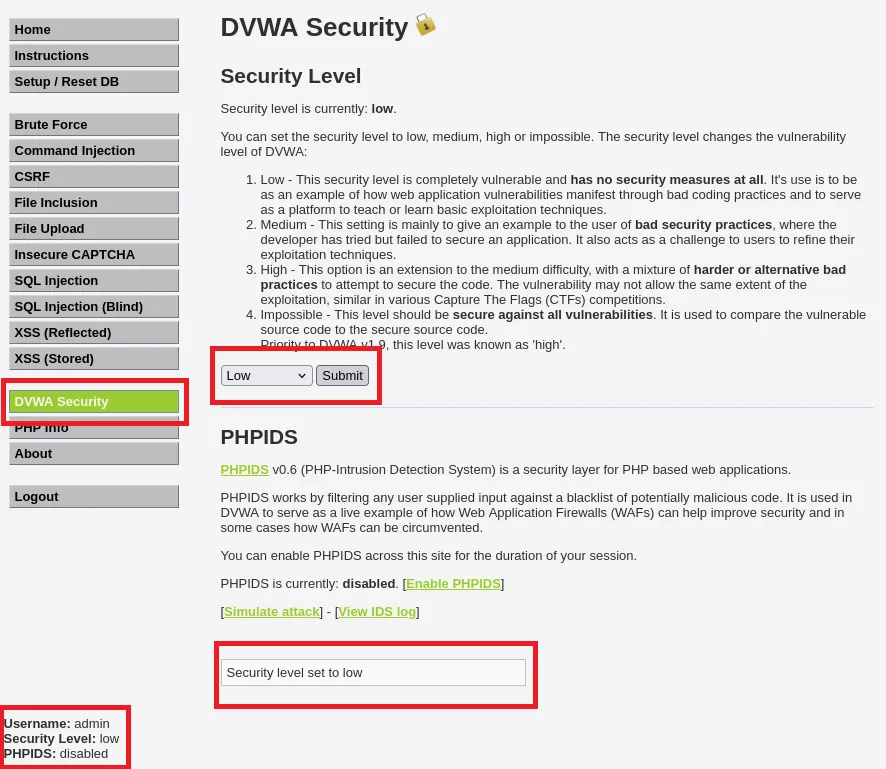
Inside, you can also set the security level. We pick “low” because there’s no filtering at all there, which shows the flaw in its clearest form.
Let’s start with reflected. The DVWA menu has an “XSS (Reflected)” page. There’s a box on the screen that says “What’s your name?” Normally you type your name and the site says “Hello CWSpeciaL.”
Instead of a name, we type this:
<script>alert('XSS')</script>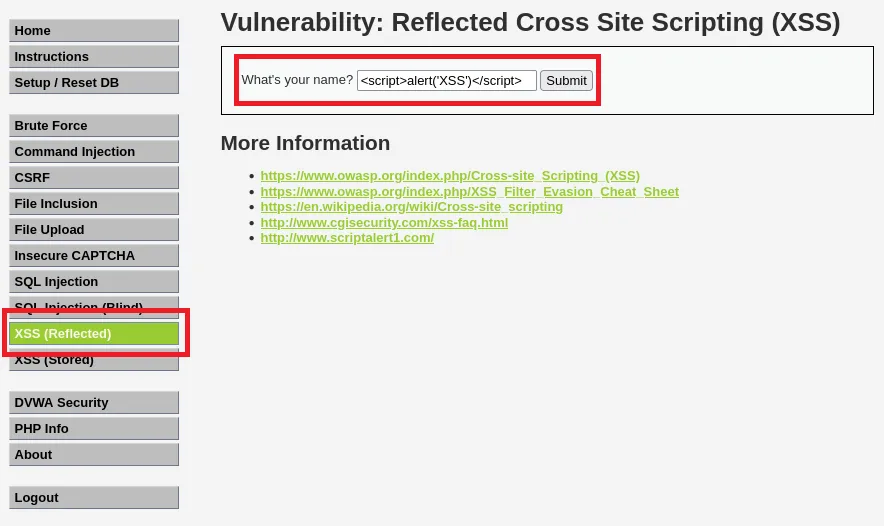
The site doesn’t check whether this text is dangerous. It prints it to the page. The browser sees it as code, not text, and runs it. A small alert box pops up on the screen.
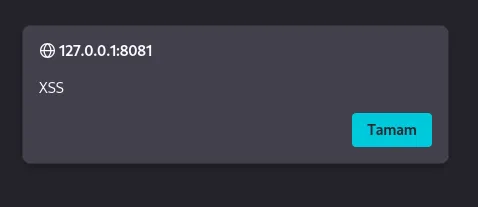
That box means “code can be injected here.” Why does it work? Look at the page source and you’ll see it. The script tag we typed is embedded in the page’s HTML exactly as we wrote it.
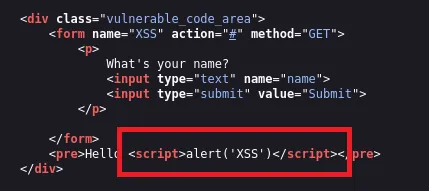
The alert is harmless; it’s just proof. But real malicious code could go in the same place. Say we type this into the name box:
<script>alert(document.cookie)</script>This time the box shows the session data. If an attacker sent this to their own server instead of printing it on screen, they would have stolen your session.
Now let’s move on to stored, because this is the really dangerous one.
The “XSS (Stored)” page has a guestbook. You enter a name and a message, and they get saved. We put the cookie payload in the message box.
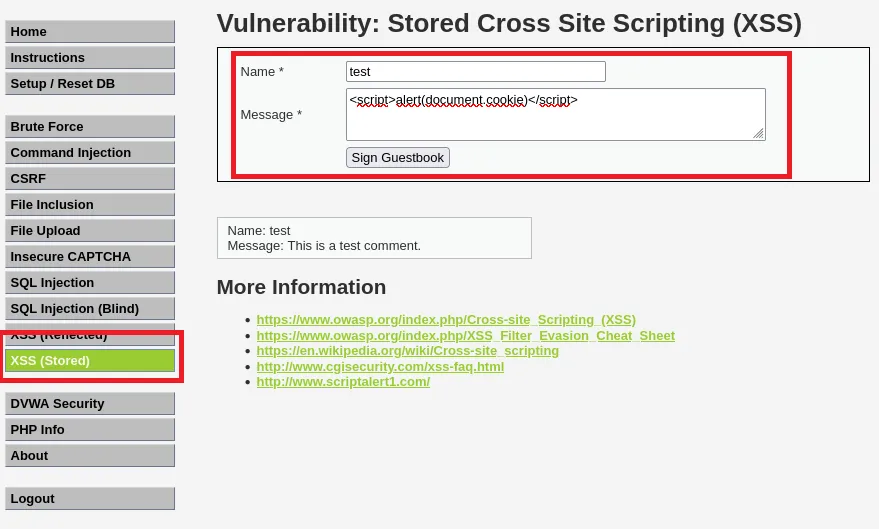
We hit save. Here’s the difference: the code now lives in the database. We close the page and open it again.
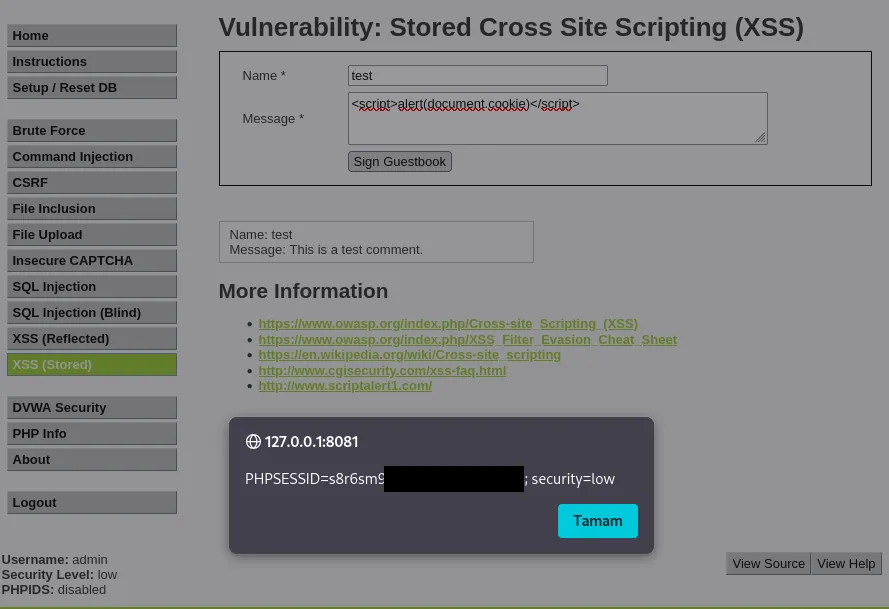
It runs again, and the cookie is on the screen again. Nobody clicked a link, nobody typed anything. It fires automatically for everyone who opens the page. That’s exactly the difference between reflected and stored.
So how does a developer prevent this? The basic rule is:
Never trust any data that comes from the user.
Apply output encoding before printing anything to the screen. That means turning the < character into a form like < that looks the same but doesn’t run. The browser then treats it as plain text, not code. In fact, when you set DVWA to “medium” or “high”, these filters kick in and the payload stops working.
There’s also a shield called Content Security Policy (CSP). It lets the site say “only run scripts from these sources.” Code that gets slipped in runs into that rule.
XSS is an old flaw, but it’s still on the OWASP lists. The reason is simple: every new form and every new comment box is a potential entry point. A single unfiltered field is enough.
Sources
https://owasp.org/www-community/attacks/xss/
https://portswigger.net/web-security/cross-site-scripting
https://cheatsheetseries.owasp.org/cheatsheets/Cross_Site_Scripting_Prevention_Cheat_Sheet.html