Hashcat is a password cracking tool. If you have a hash value and want to find the password, it’s one of the tools you turn to.
Systems don’t store passwords as plain text. When you type “password”, the system first runs it through a hash function. Like MD5, SHA-256, bcrypt. The resulting value is always the same, but reversing it is extremely hard computationally. Hashcat doesn’t actually try to reverse it. It hashes every word in your wordlist and compares it with your value. In other words, it tries to find a match. It’s a tool people often turn to in pentests and CTF solutions.
Installation
If you’re on Linux:
sudo apt update && sudo apt install hashcatFor Windows, you can download the zip from hashcat.net and extract it.
Keep your GPU drivers up to date. If you’re using NVIDIA you need CUDA; for AMD, OpenCL.
To verify the installation:
hashcat --version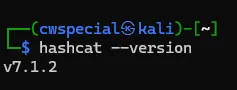
Identifying the Hash Type
You need to tell Hashcat which hash type you’re trying to crack, because each algorithm has a different mode number. If you don’t know what your hash is, you can identify it with hash-identifier:
hash-identifier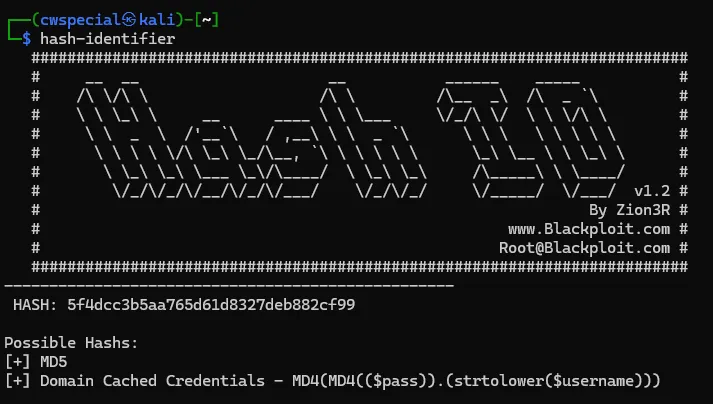
Run it, paste the hash, and it tells you the type. Mode 0 for MD5, 1400 for SHA-256, 1000 for NTLM
Dictionary Attack
You can write the hash directly into the command:
hashcat -m 0 -a 0 5f4dcc3b5aa765d61d8327deb882cf99 /usr/share/wordlists/rockyou.txtYou’ll see this as output:
5f4dcc3b5aa765d61d8327deb882cf99:password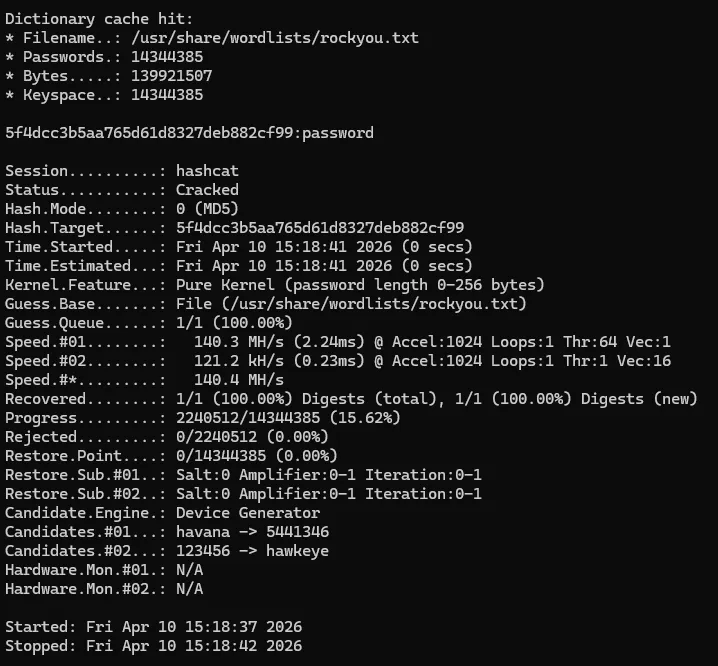
So a password like “password” is worth nothing even if it’s stored with MD5.
If you can’t find rockyou.txt, look under /usr/share/wordlists/; it might be compressed. You can extract it with sudo gunzip /usr/share/wordlists/rockyou.txt.gz.
Brute Force Attack
If it’s not in the wordlist, try brute force too. Hashcat does this a bit more smartly with a mask attack. For example, you can specify a password made up of exactly 6 digits:
hashcat -m 0 -a 3 5f4dcc3b5aa765d61d8327deb882cf99 ?d?d?d?d?d?d?d means a digit.
Similar masks:
?l lowercase letter ?u uppercase letter ?a all (digit + letter + special character)
For an 8-character, lowercase-only password:
hashcat -m 0 -a 3 5f4dcc3b5aa765d61d8327deb882cf99 ?l?l?l?l?l?l?l?lRules Attack
A somewhat beefed-up version of the dictionary attack. It applies automatic transformations to the words in the wordlist. If password is in there, it tries possibilities like Password, p@ssword, password1.
hashcat -m 0 -a 0 5f4dcc3b5aa765d61d8327deb882cf99 rockyou.txt -r /usr/share/hashcat/rules/best64.rulebest64.rule is the most commonly used rule set. It comes with hashcat on Kali.
Results and Benchmark
To see the results again after cracking is done:
hashcat -m 0 --show 5f4dcc3b5aa765d61d8327deb882cf99
If you want to see how fast your GPU is:
hashcat -m 0 --benchmark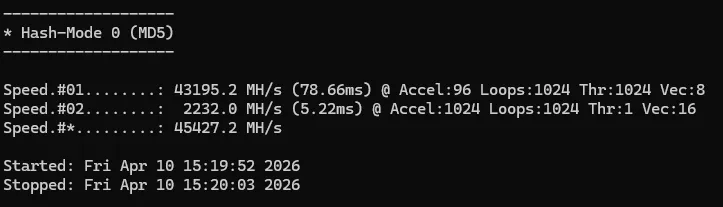
There’s a Speed line in the output. It reports it in hashes per second. With lightweight algorithms like MD5, you can reach billions of hashes per second with a GPU. If you don’t have a GPU or you get a no devices found error, add –force to the end of the command. It runs on the CPU, but slower.